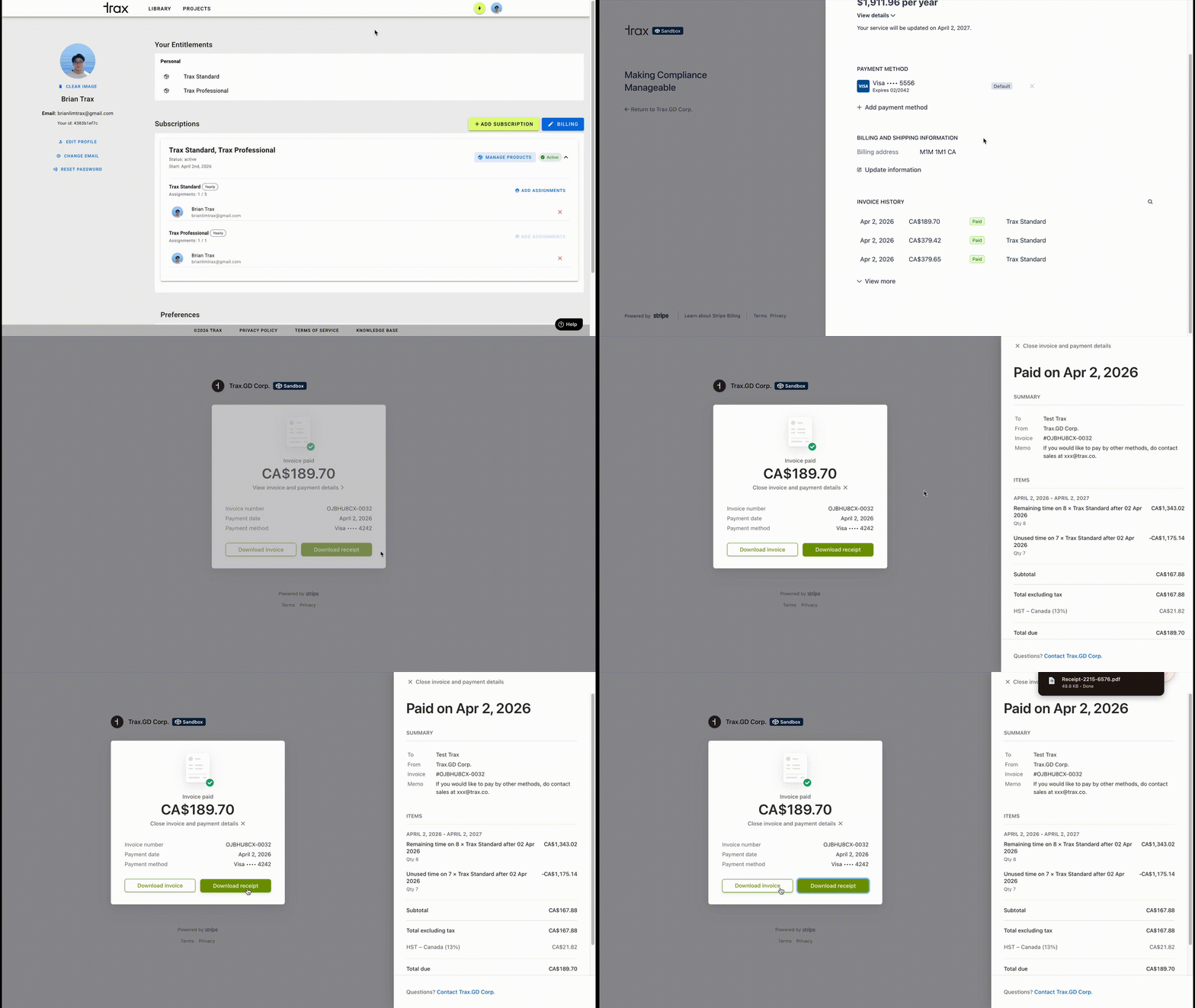
- To view previous invoices for a subscription that you manage:
- Go to your Profile
- Click Billing to open the Stripe customer portal.
- Scroll down to Invoice History in the Stripe portal to view or download invoices.
On the Stripe customer portal, you can:
- review paid invoices
- review open invoices shown in Stripe
- download invoice copies for your records
What to expect:
- Invoice history opens in the Stripe customer portal.
- This is the best place to review invoice history for a subscription you manage.
- If a subscription has an unpaid invoice right now, you may also see direct invoice links on Profile under Action Required.
Was this article helpful?
That’s Great!
Thank you for your feedback
Sorry! We couldn't be helpful
Thank you for your feedback
Feedback sent
We appreciate your effort and will try to fix the article