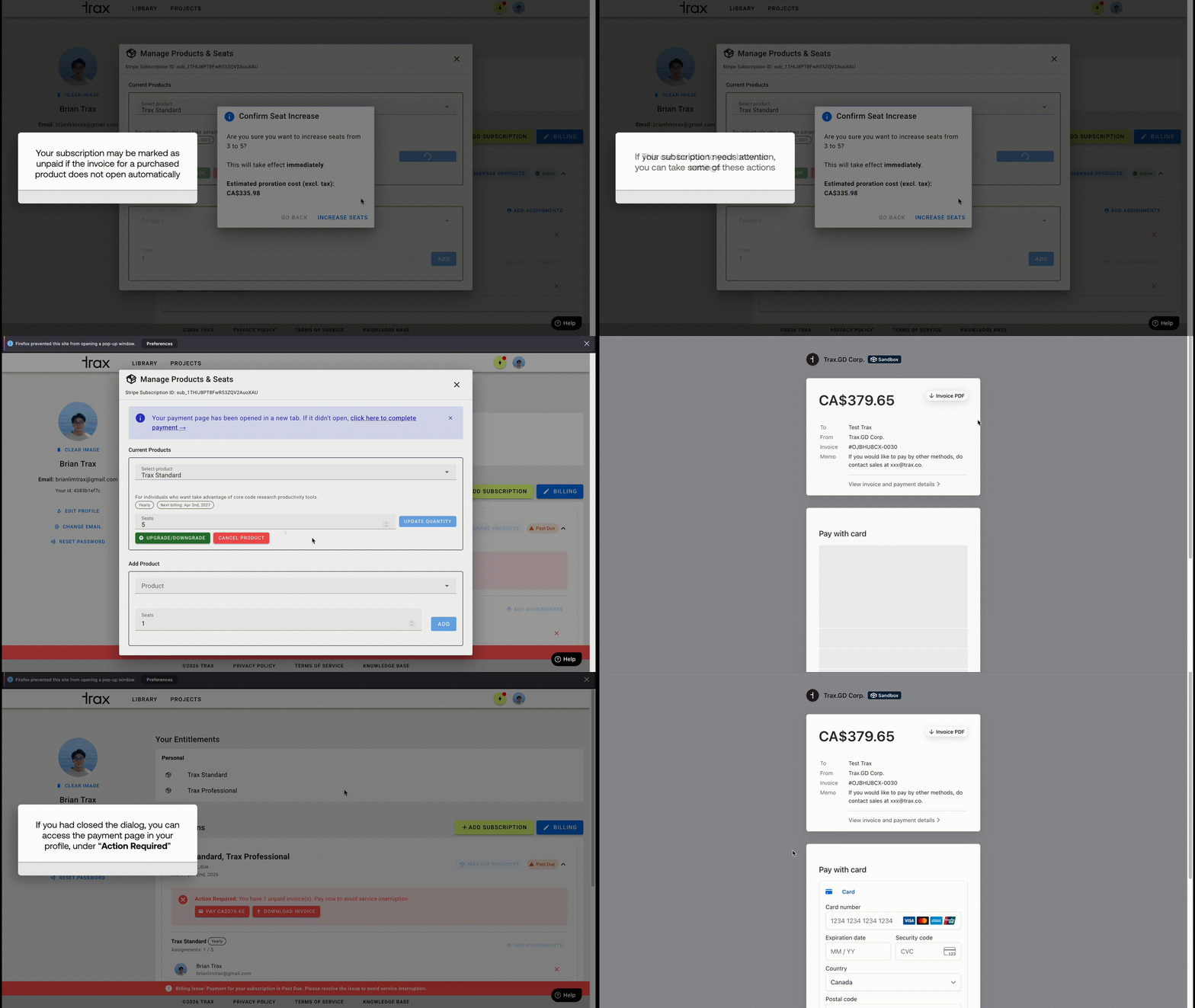
If a subscription needs attention, the subscription panel shows an Action Required warning.
From there you can:
- open the hosted invoice payment link
- download the invoice PDF
- review the due date
Important:
- Past-due or unpaid subscriptions can block further subscription changes.
- Pay the invoice first, then retry product changes if needed.
If You Are an Assigned User Only
If someone else assigned you access:
- Use Your Entitlements to confirm what you can use.
- Use the Subscriptions section to see status and admin details.
- Contact the subscription admin if you need billing, seat, or product changes.
Summary
- Check access in Your Entitlements.
- Buy through Add Subscription.
- Use Billing for Stripe billing tasks.
- Use Manage Products for plan and seat changes.
- Use Manage Assignments for user invites and seat removal.
- Use invoice links in the subscription panel when payment is overdue.
Was this article helpful?
That’s Great!
Thank you for your feedback
Sorry! We couldn't be helpful
Thank you for your feedback
Feedback sent
We appreciate your effort and will try to fix the article